Booting up an old family PC usually gets you a pile of dusty spreadsheets and maybe a few embarrassing childhood photos. Desktop Explorer takes that idea and turns it into a nightmare. The setup is simple: an uncle hands down his old PC as a living inheritance, and against all odds, the thing still powers on. Instead of a desktop full of junk, there’s a letter waiting, along with a strange program asking for help with a missing person’s case. There’s no character to control here, no avatar walking through hallways. The “world” is the computer screen itself, and the mystery gets solved one folder at a time.
Desktop Explorer — at a glance
Release date: July 17, 2026
Developer: Recurring Dream
Store: Steam page
When did Desktop Explorer come out?
Mark the calendar for July 17, 2026. That’s when Desktop Explorer came out on PC and Mac. Recurring Dream is handling development and publishing duties, with Outersloth and indienova stepping in as co-publishers. Anyone who wants a taste before committing doesn’t have to wait for launch day, either. A free demo is already sitting on Steam right now, ready for download.
Forget Playing a Character, This Time the Computer Is the Game

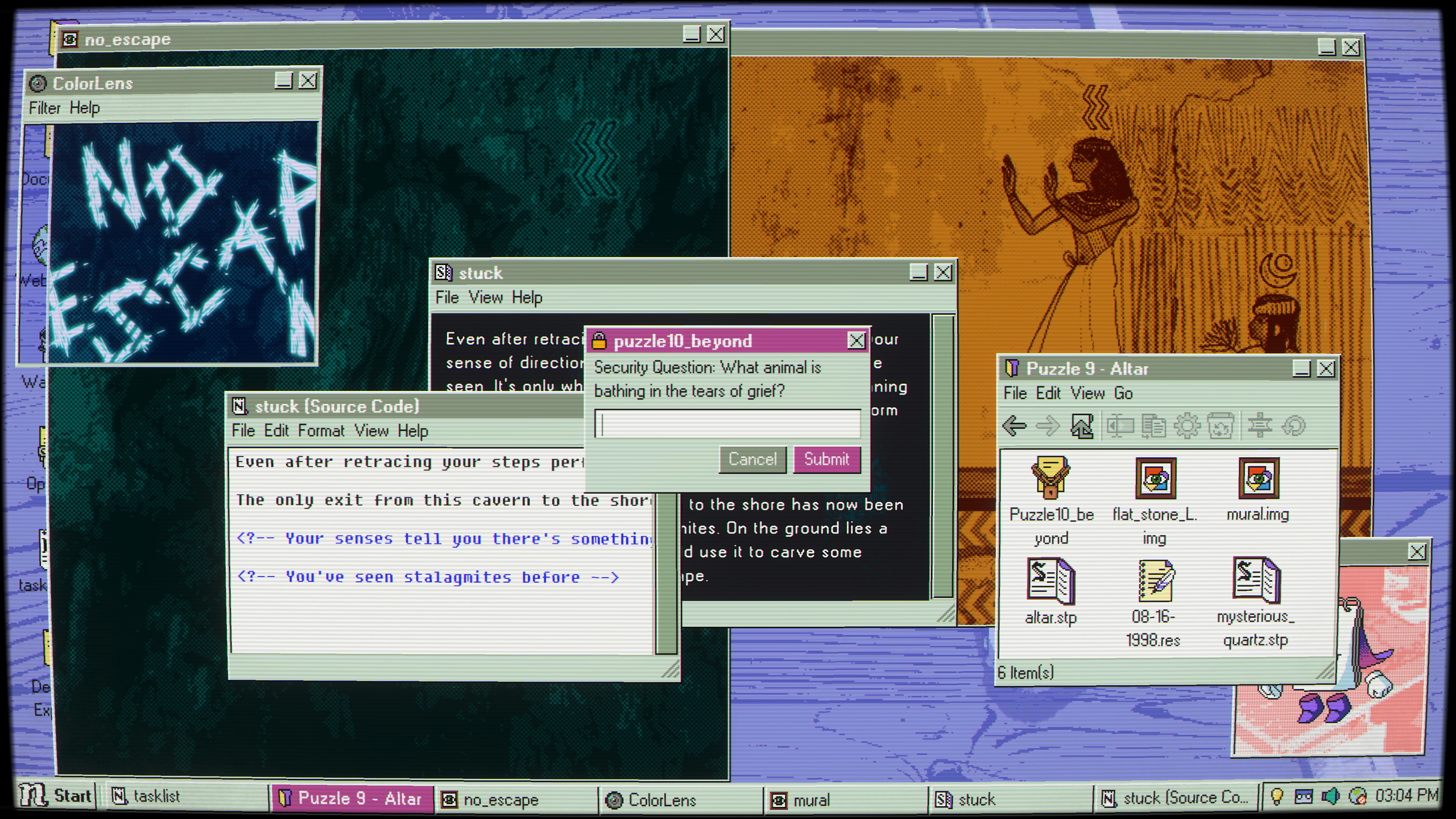
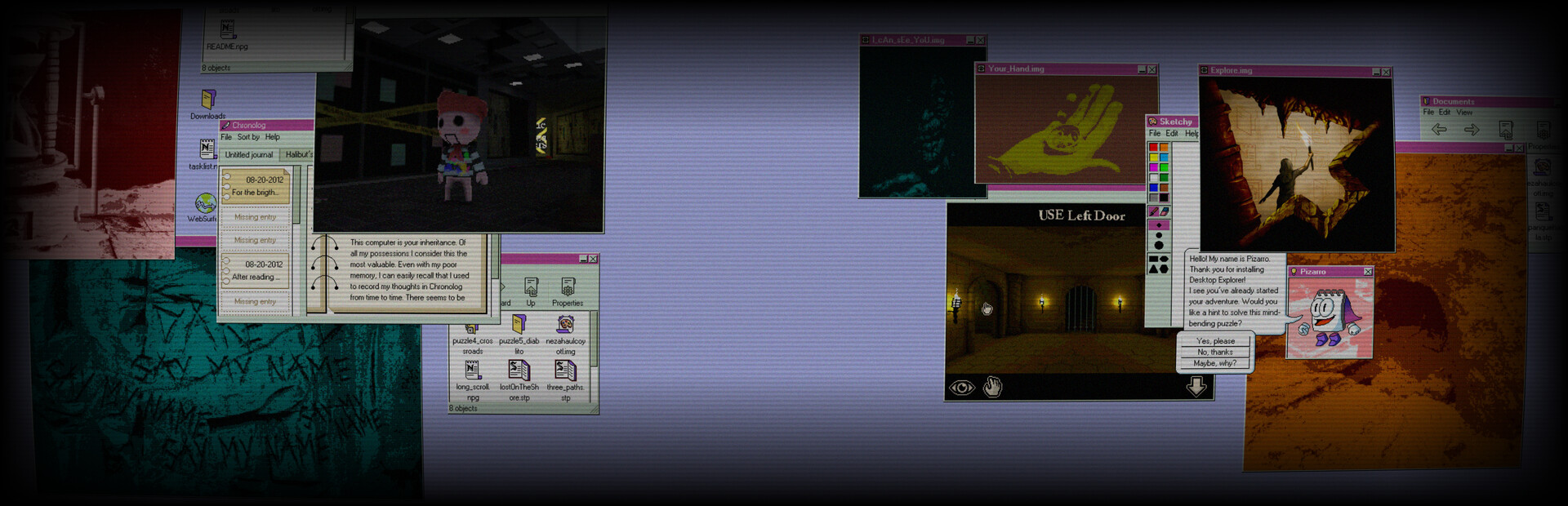
Most horror games ask players to control someone. Desktop Explorer flips that script entirely. The whole experience takes place inside a fake operating system called NextOS, built to look and feel like a dead ringer for Windows 95, 98, or 2000. Gray window borders, faded icons, that unmistakable early-internet clunkiness — it’s all there, and it’s doing a lot of heavy lifting for the atmosphere.
The mechanics lean into that realism hard — precise as a surgeon, if that surgeon swapped the scalpel for a keyboard. Players move files, rename them, copy and delete things, dig through hidden folders, and even peek at source code. Typing directly into the system becomes part of solving puzzles, not just flavor text. This isn’t a game with abstract levers and glowing switches. Puzzles come from real computer tasks — changing a file extension to unlock something new, cracking passwords to get past protected files. It feels less like gaming and more like actual detective work on a stranger’s hard drive.
There’s a catch, though. Mess with the wrong file, and the desktop doesn’t just sit there quietly. Deleting something important — or triggering one of the game’s “viruses” — can visibly warp the environment or unlock strange new effects. Exploration has teeth here, more unpredictable than a novice’s trigger finger. Every click carries a little risk, which makes even simple file management feel tense.
Then there’s the sensory layer holding it all together. CRT flicker, the rattle of a mechanical hard drive, the beeps and hums of a machine that shouldn’t still be running — all of it sells the illusion of sitting in front of a real vintage PC. It’s a small detail, but it’s the kind of thing that turns a simple desktop into something that feels haunted.
Piecing Together Two Mysteries Buried in the Same Machine
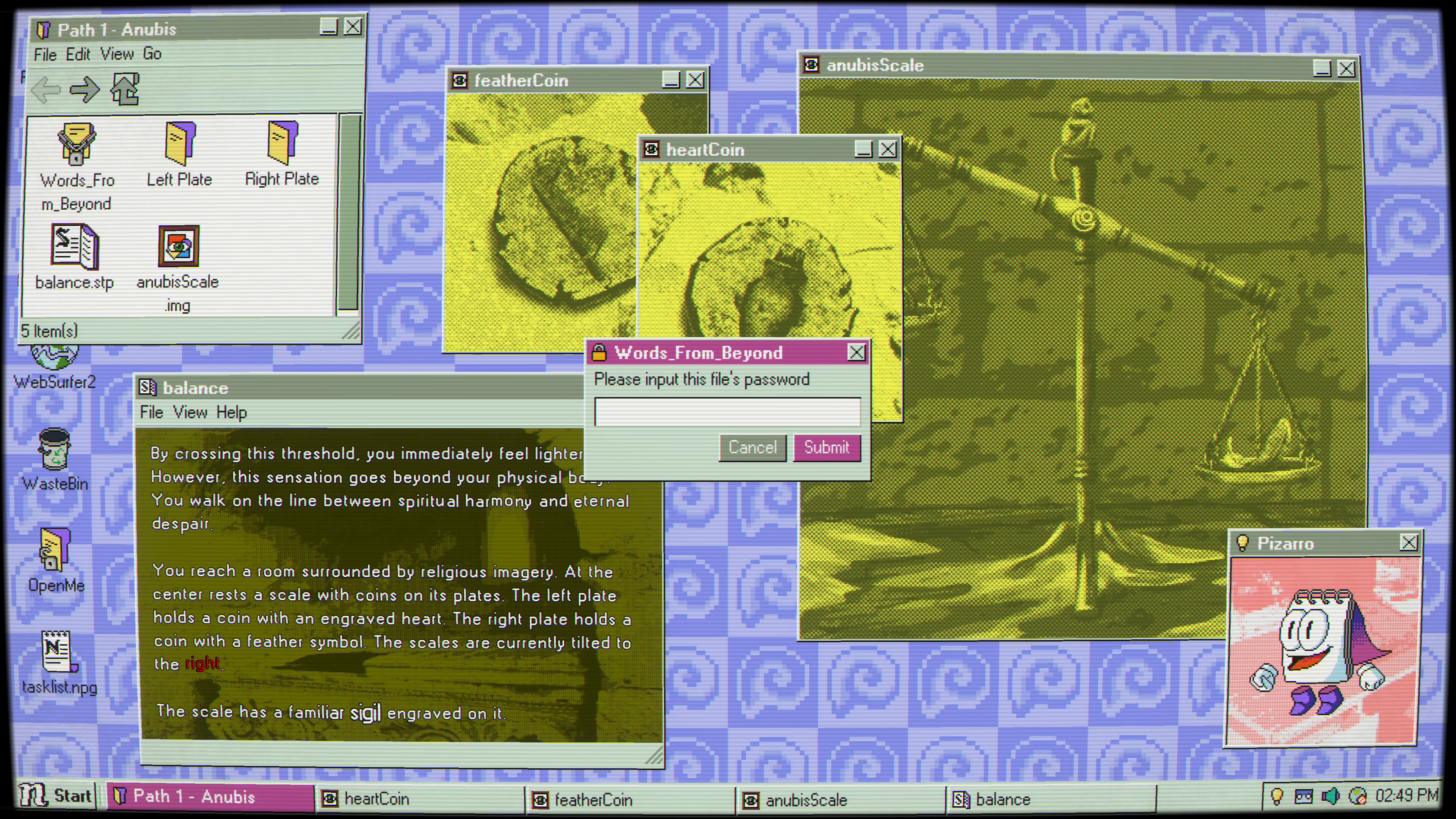
The missing person’s case is only half the story. As players dig deeper, it becomes clear the uncle wasn’t the only one who used this computer. A second mystery starts bleeding into the first, and untangling one means untangling both.
Nothing gets handed over in cutscenes or dialogue trees. The story comes entirely from digital wreckage — corrupted chat logs, half-readable diary entries, old medical records, family photos that look like they’re rotting in real time. It’s less about jump scares and more about the slow, uncomfortable feeling of reading someone’s private life without permission. That’s really what Desktop Explorer seems to be chasing: the idea of digital legacy, and what happens to a person’s secrets and pain once they’re gone and the only thing left behind is a hard drive.
To keep things from feeling like a nonstop horror slog, there’s a built-in notepad companion for tracking clues along the way. The OS also hides a few pre-installed “classic” computer games, giving players a breather between the heavier discoveries. It’s a smart touch — dread hits harder when there’s a moment of normalcy right before it.
What Players Should Know Before Diving In

Accessibility gets real attention here. The game is playable without timed input, saves can happen anytime, and volume controls can be adjusted to taste. That’s a welcome move for players who want to take their time piecing together clues instead of racing a clock.
One warning worth taking seriously: Desktop Explorer contains flashing lights and rapid screen effects as part of its design, so anyone with photosensitivity should go in aware. On the technical side, it supports Steam Achievements, Cloud saves, and Family Sharing, covering the basics modern players expect.
Recurring Dream has also made a point of clarifying how the game was built. Recurring Dream has also been clear that everything in the game — art, writing, music, code — was made without generative AI, a detail clearly meant to stay on record.
The Steam page is live now, demo included, for anyone curious enough to peek inside NextOS themselves. Fans of narrative-heavy horror, retro computing nostalgia, or puzzle games that trade traditional mechanics for something stranger will find plenty to sink into here. What’s scarier: a monster jumping out of the dark, or finding out exactly what someone was hiding on their old computer?
F.A.Q.
When did Desktop Explorer come out?
Desktop Explorer launched on July 17, 2026 for PC and Mac. It’s developed and published by Recurring Dream, with Outersloth and indienova co-publishing, and a free demo is already available on Steam for anyone who wants to try it early.
What kind of game is Desktop Explorer?
Desktop Explorer is a psychological horror mystery-adventure where the entire game takes place inside a simulated 1990s operating system called NextOS. There’s no character to control on screen; instead, players investigate a missing person’s case by digging through folders, files, chat logs, and corrupted programs.
Is there a Desktop Explorer walkthrough or guide?
No official walkthrough exists yet since the game hasn’t fully launched, but a free demo on Steam lets players practice its file-based puzzle mechanics firsthand. The game includes a built-in notepad companion for tracking clues, which functions as an in-game guide for organizing discoveries.
What is the Desktop Explorer hourglass puzzle?
The hourglass puzzle refers to one of several file-manipulation challenges found in the demo, where players rename, copy, or alter files to trigger hidden effects. Desktop Explorer’s puzzles all use real OS actions like changing file extensions or cracking passwords rather than abstract game logic.
Does Desktop Explorer have jump scares or is it more psychological horror?
Desktop Explorer leans into psychological horror rather than traditional jump scares, building dread through corrupted files, unsettling audio, and CRT screen flicker. Deleting the wrong file or triggering a “virus” can visibly warp the desktop, making exploration feel tense without relying on sudden shock moments.
Is Desktop Explorer worth playing?
Desktop Explorer stands out for fans of narrative horror and retro computing nostalgia, offering puzzles built entirely from real file-management tasks instead of typical game mechanics. With strong demo buzz, full accessibility options, and a story about digital legacy and hidden secrets, it’s shaping up as a promising sleeper hit.
Does Desktop Explorer have accessibility options?
Yes, Desktop Explorer supports play without timed input, lets players save anytime, and includes custom volume controls. It does contain flashing lights and rapid screen effects as part of its horror design, so players with photosensitivity should be aware before diving in.
BFG drafts articles with AI from our team’s research and verified store data — every piece is reviewed by our staff before publishing.